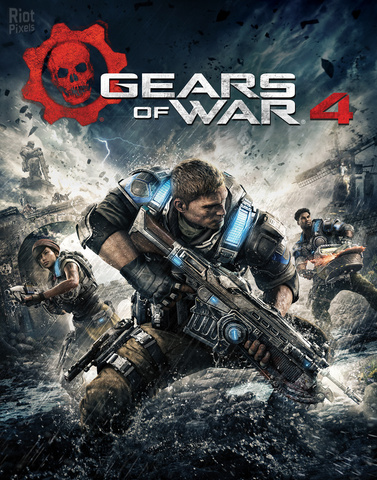
Title: Gears of War 4
Genre: Action, Third-person shooter, Adventure game
Developer: The Coalition
Publisher: Xbox Game Studios
Franchise: Gears of War
Release Date: 2016
MINIMUM SYSTEM REQUIREMENTS
- OS: Windows 10 64-bit (Anniversary Update)
- Processor (CPU): Intel Core i5-3470 3.2 GHz or AMD FX-6300 3.5 GHz
- Memory (RAM): 8 GB RAM
- Graphics (GPU): NVIDIA GeForce GTX 750 Ti or AMD Radeon R7 260X (2 GB VRAM)
- DirectX: Version 12
- Storage: 125 GB available space (HDD)
A new saga begins for one of the most acclaimed video game franchises in history. After narrowly escaping an attack on their village, JD Fenix and his friends, Kait and Del, must rescue the ones they love and discover the source of a monstrous new enemy
1- Run the installer as administrator
2- Click on the page
3- Press the up arrow on your keyboard
4- Click Install
5- Click Continue
6- Select installation destination
7- Click Next
8- Select component
9- Install
Repack Features
Based on Gears.of.War.4-CODEX ISO release: codex-gears.of.war.4.iso (111 GB)
Language : MULTi13
The game language is selected automatically based on your OS settings
Selective Download Feature : you can skip downloading and installing Languages packs you don’t need, and Multiplayer files
Repack Size : from 72 GB
Final Size : 125 GB
Lossless repack : Nothing removed OR re-encoded
Install Time : 15 – 40 mins
Greetings : Razor12911, KaOsKrew
Repack By DODI
PLZ SEED , DONT HIT & RUN
Hints
- install Windows Store, Xbox and Xbox Identity applications
- virtualization (Hyper-V Support) must be set off either in OS settings and/or in BIOS
- Turn on Developer Mode
- Run Crack.bat to install crack and activate the game
- After the crack applied, GOW4 will appear on your Start Menu
- Run Game only from Start Menu
- In first launch the game will ask you for folder to keep saves in. You either create a new subfolder, like “DODI GOW4” or use any existing folder
- You MUST block game .EXE (GearGame\Binaries\UWP64\GearGame.exe) from the Internet. Otherwise it will crash right after you try to start a new campaign
- Both inbound and outbound connections must be blocked. For default Windows Firewall
- If you can’t block the game, simply turn off your Internet cable to play
- To play in Versus mode with bots, create a LAN party and turn “Fill Empty Slots with Bots” in game settings
Download Links
- Don’t download Mega / Mediafire / OneShare / WeUpload / One Drive Links or password files
- Don’t follow pop ad pages, Stay in download page
Torrent – Click Here – or – Click here – or – Click Here –
SwiftUploads – Click Here –
FileKeeper – Click Here –
- All file hosting links are interchangeable